How to Make an AI Version of Your Dog That Feels Like Them
By PetMemorium
- Published:
- Last updated:
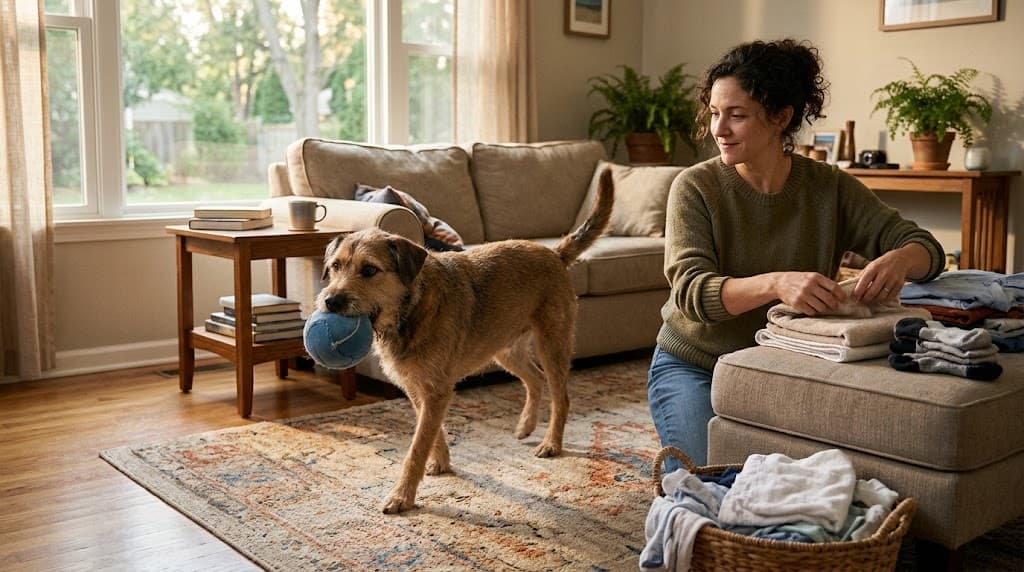
You may not be looking for an AI dog that is simply friendly. You want to recognize something particular: the way your dog carried a toy without quite giving it to you, or the small movement they made when they wanted your attention.
A reply can be affectionate and still feel nothing like the dog you knew.
To make an AI version feel more familiar, start with behaviors you actually remember, review what you have saved, and notice what the AI’s responses are claiming. When something does not fit, check the underlying memory rather than adding an invented detail to make the response seem right.
This can shape a more personal text-based experience. It cannot bring your dog back, reproduce their consciousness, or guarantee a perfect match.
A photograph gives you their face—not the whole relationship
A photograph can show the fold of an ear or a muddy patch on a paw. It may not explain what your dog did with a toy, how they approached you, or which part of an ordinary routine you recognized immediately.
In PetMemorium, a photo is not a shortcut that automatically turns those unrecorded details into a personality. The photo itself does not establish a favorite game, a familiar greeting, or something your dog used to do.
Basic information matters too: their name, whether they are a dog or cat, an optional breed, and the other identity details you can accurately provide. But a breed label cannot tell the system what made your individual dog different.
If you have not created your pet yet, our guide to talking to a pet that passed away through an AI web service explains the starting process. Here, the more important question is what happens after you begin supplying memories.
Start with one behavior you could recognize
“Playful” leaves a great deal open to interpretation. A dog who carried a toy around the room and a dog who repeatedly dropped it into someone’s hand might both be called playful. Those are not the same interaction.
You do not need to describe your dog’s entire life at once. Choose one behavior you remember well enough to recognize—or question—when it appears in a response.
An original, fictional teaching example
Imagine a dog named Juniper. Her owner remembers that she carried a soft cloth ball around the room. The owner does not remember her bringing it back and does not know whether it was her favorite toy.
In PetMemorium’s Toys & Play memory category, the owner could use Something else… to describe the soft cloth ball, then select Carry it around. They should review and confirm only the details that match what they remember.
There is no need to add a bring-back action or call the ball a favorite just to make the profile feel more complete.
This example is fictional, not a customer story. Its useful distinction is simple: a detail can be worth saving without being expanded into a bigger story.
If gathering those details is the difficult part, How to Keep Your Pet’s Memory Alive offers a fuller approach. You do not need to repeat that whole process every time you want to try a conversation.
Notice what the response is actually saying
Once you begin chatting, it helps to distinguish three things.
A response grounded in a confirmed memory
A generated action can draw on something you deliberately reviewed and saved. In Juniper’s fictional example, carrying the recorded ball would connect to a known behavior.
For illustration, a brief response might look like this:
(Carries the soft ball a few steps.)
This is an original teaching illustration—not an actual product transcript or a promised response. It shows a possible present-tense expression of the supplied behavior, not a recording of something happening in the real world.
An ordinary action happening within the AI conversation
A glance, a stretch, or a small shift in position does not automatically claim a personal history. AI responses can include general present-tense animal behavior without asserting that your dog always behaved that way.
Not every movement needs a matching entry in your saved memories. The important distinction is whether the response is depicting a current action or claiming something about your dog’s actual past.
An unsupported claim about history or a lasting preference
“This was always my favorite ball, and I brought it back every night” would add facts that Juniper’s owner never confirmed.
Carrying does not establish retrieving. A remembered toy does not automatically establish a favorite. Warm wording does not make an unsupported detail true.
You do not have to test every sentence like an examiner. When a response feels wrong, ask a smaller question: Did I supply this fact, or did the response turn one detail into something more?
And if the AI starts delivering long, human-like advice instead of brief, pet-like expression, a comforting tone alone does not make it a closer representation of your dog.
When something is wrong, check the saved memory
There are two different problems to look for: an inaccurate saved record, and an inaccurate response generated from an otherwise accurate record.

If the saved information itself needs attention:
- Open Remember Together, then choose More to reach Everything I remember.
- Find the relevant memory and open its ••• menu.
- Choose Edit, if that record offers it, and change the supported details.
- Select Review changes. Read the result before confirming with Yes, that’s [pet name]. Use Keep editing if it still does not match.
Not every stored record offers the same editing options. If an inaccurate record cannot be edited, you can choose Delete, read the confirmation carefully, and record the accurate information again through a supported memory category.
You do not have to delete a true memory because one generated response was wrong. If Juniper really carried the ball, keep that fact. Do not add retrieving merely because the AI mentioned it.
Saying “She didn’t do that” in the conversation may clarify what you mean in that exchange. It does not automatically revise the confirmed memory or teach the system a permanent new rule. Use the saved-memory controls when the stored factual basis needs changing.
Editing or deleting a memory also does not rewrite earlier chat messages. Nor does it guarantee that every future response will be a perfect match. Continue to distinguish an unsupported historical claim from an ordinary movement within the current conversation.
Choose a familiar interaction the system actually supports
Ordinary chat and a deliberately added Interaction are related, but they are not the same operation.
PetMemorium currently offers eligible Interactions from Food & Treats, Toys & Play, Affection & Touch, and Words & Sounds memories. Eligibility depends on the supported information in the record; saving something does not automatically make it an available shortcut.
For example, a food record needs a supported response after the food is received—not just the fact that a food was mentioned. Toy Interactions use supported play actions. A custom description does not make every imagined action executable.
For an eligible saved memory, its ••• menu offers Add [item] to Interactions. You can also use Do something with [pet name] beneath the chat, or Add when shortcuts are already present, and choose from the options the interface makes available.
For fictional Juniper, an eligible ball memory could provide a way to invite a text-based interaction drawing on the confirmed carrying behavior. It would not promise a fixed sequence of movements. Selecting several supported toy actions does not establish an exact order in which your dog performed them.
Some memories can be recorded without becoming executable Interactions. Places & Going Out, for example, is not currently offered as an executable Interaction category.
There is also a useful difference between removing a shortcut and deleting its source:
- Remove … from Interactions removes that shortcut while keeping the underlying memory.
- Deleting the source memory also removes Interactions bound to it.
An Interaction is generated text: a present-tense enactment based on supported memories. It is not a video, your dog’s recorded voice, a literal replay, or a claim that an event is physically happening.
You can begin small—and stop when you want
On the standard Free plan, PetMemorium provides separate allowances of 30 chat messages and 30 Interactions per account per UTC calendar month, shared across the account’s pets. They are not a single combined allowance. Check your account for its actual remaining availability.
Managing memories through Remember Together remains available when the chat allowance is used up. You do not need to use a conversation quota simply to review the factual basis you have saved.
You also do not need to fill every category or keep trying until a response feels right. If the experience feels uncomfortable, you can pause or stop. AI companionship is optional, and it is not grief treatment.
Your dog’s life was larger than any profile. Making a digital companion more familiar is not a matter of filling every blank or accepting every affectionate response. It means keeping the distinction between what you know, what the AI is expressing now, and what neither of you can establish.
Sometimes the most recognizable detail is also the least elaborate: a soft ball, carried a few steps, without a story added around it.